TOTP implementation is incomplete

The data contained in one of your QR codes for setting up 2FA via TOTP decodes to something like this:
otpauth://totp/screenconnect?secret=123456789ABCDEF
On the other hand, if you enable 2FA on a service like Gmail, the data in their QR code decodes to something like this:
otpauth://totp/Google%3Ausername%40gmail.com?secret=123456789ABCDEF&issuer=Google
That's URL encoded, human readable is this:
otpauth://totp/Google:username@gmail.com?secret=123456789ABCDEF&issuer=Google
It's pretty plain that you guys are omitting the account information and instead are doing the bare minimum to even make the TOTP QR code work.
This needs fixed. Here is more documentation on the subject: https://github.com/google/google-authenticator/wiki/Key-Uri-Format
So why is this a problem? The account information helps TOTP apps distinguish between - you guessed it - different accounts! I have two ConnectWise Control instances setup for two different companies, and of course my logins and 2FA are different between them. However, since the account information isn't part of the URL contained in your QR code, Microsoft Authenticator doesn't have a way to distinguish them. It thinks I'm trying to update my 2FA for "screenconnect" and obliterates my 2FA for the other account. Thus it is currently not possible to have multiple accounts for ConnectWise Control setup in Microsoft Authenticator. I'm forced to use two different Authenticator apps instead. Also, new users won't be aware of this (like I wasn't!) and they may lock themselves out. Actually, it's very easy to create a malicious QR code to erase your 2FA code from Microsoft Authenticator. Just try setting up 2FA with Microsoft Authenticator in control, then scan this code:
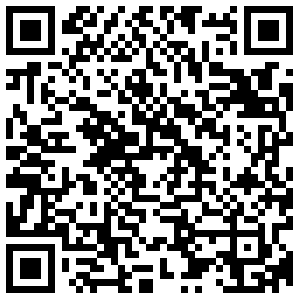
Boom, your 2FA for ConnectWise Control is now obliterated, and I didn't even need to know your username to do it. See how bad this is?
You might say "just use Google Authenticator instead of Microsoft Authenticator" - that's not a solution. There is no method to backup your 2FA codes when you migrate to a new phone, or (worse) break or lose your current phone. A phone lasts, what two years? So you're guaranteed to lose access to your accounts if you use Google Authenticator. On the other hand, Microsoft Authenticator provides backup capability and it actually works.





I was in a meeting with their "solutions" team and pointed out several feature request/enhancement posts like this that are relatively simple yet have gone unresponded to for years...some that I created that are simple QOL updates. They acted shocked and said they'd take a deeper look at some of the issues I brought up.
That was months ago with no further follow up. I can't say I'm surprised. It's so frustrating.
That's my partner success conversation every time someone engages enough to say I should talk to 'partner success..."
Fire the incompetence in partner success and put the money back in dev and support, and amazingly enough, more partners would be successful.