Device Deletion Workflow when Device is Offline

With the release of 2026.7, the Uninstall Workflow and Deletion Workflow were combined into one workflow. This creates a problem, if a device is offline it cannot be deleted from the dashboard. If a device crashes and is unable to be fixed, the device will stay on the dashboard with no way of deleting it and will still show up in searches. It would be nice to allow for device deletion off of the dashboard so this issue does not bog down the device count and create search issues. I understand combining the workflows, but they each do still have their own function and right now, the uninstall workflow prevents the deletion workflow from working.





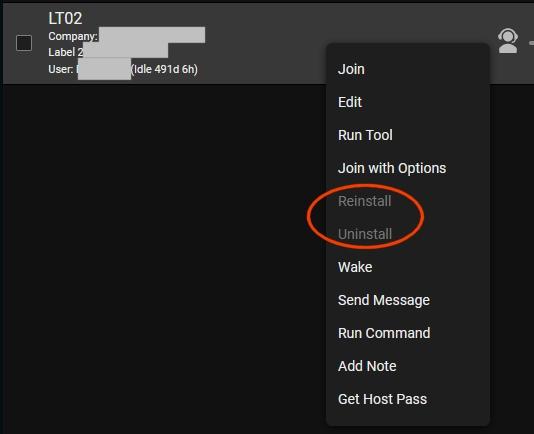

Thanks for reporting this. We’ve identified a bug that appears to impact machines that have been offline for a long period of time, generally around six months or longer, and we’re working on a fix.
As a workaround, you can adjust a setting in
web.configto hide machines after they’ve been offline for a specified amount of time. The value is in seconds, so 90 days would be7776000.Just to clarify, this doesn’t uninstall or delete anything. The machine is simply hidden from the session list while it remains offline. If it comes back online later, it will show up again automatically.
This value is set in Administration->Advanced->Web Configuration Settings->Session Settings.