Installer Compromised

Avatar
  • updated
  • Open

We have a cloud instance of SC. The group that set it up is no longer at the company. We have encountered several things that are concerning and if we do reach out to ConnectWise, gets some level 1, "check out this link" response and have yet to get an answer to any security related inquiry that was helpful.

Currently, using the "Build+" option in the SC Access portal, create an installer package, and choose "Download"> > > within a couple of hours, a bunch devices that do not belong to us, show up in our access portal and we can utilize our full set of features on these unknown Japanese and Russian devices, where some screenshots seem to indicate we are looking at TA infra. 

The newly downloaded exe and msi get flagged for numerous hits, not RMM tool hits but Malware and Trojan hits...if I run older exe' through the same analyzer, clean. 
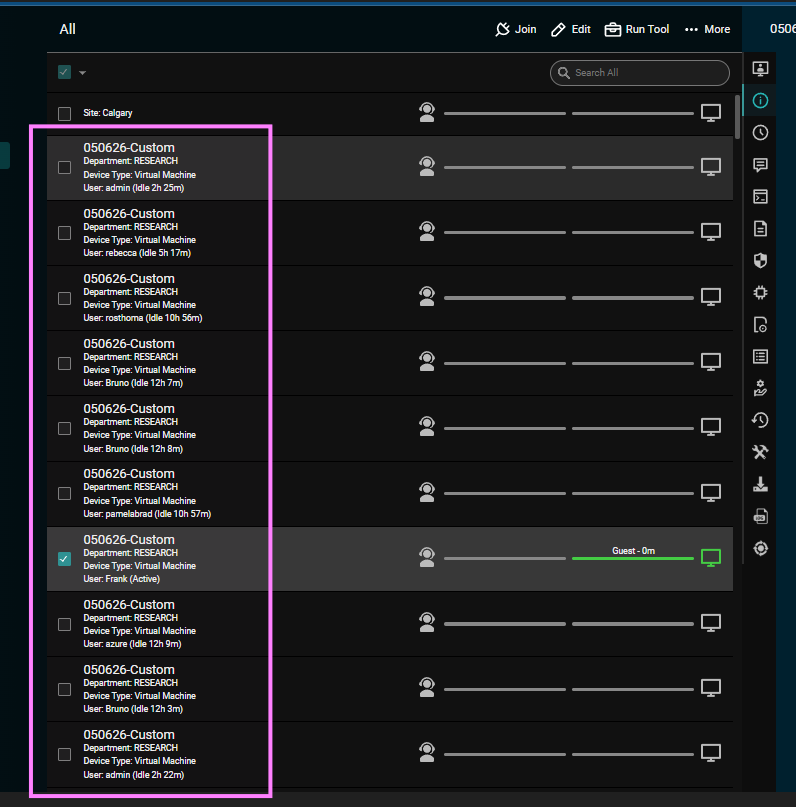


Image 1452

Avatar
0
Sean Keown

This is normal and has been going on for years across various remote monitoring and remote-control agents. This occurs when an AV or persistent threat utility uploads your binary and run them in sandboxes for a few moments to see if they are malicious or if they are doing anything malicious. 

Avatar
0
ararar
Quote from Sean Keown

This is normal and has been going on for years across various remote monitoring and remote-control agents. This occurs when an AV or persistent threat utility uploads your binary and run them in sandboxes for a few moments to see if they are malicious or if they are doing anything malicious. 

Thanks for the info, while this explaination does fit with a couple of these entries. The others are devices that are personalized by an enduser and nothing about them fits into a VM image that scans and analyzes uploaded files.  

Avatar
0
nathan levandowski
Quote from ararar

Thanks for the info, while this explaination does fit with a couple of these entries. The others are devices that are personalized by an enduser and nothing about them fits into a VM image that scans and analyzes uploaded files.  

Sandboxes are often disguised to look like actual user machines to trick malware into running inside the sandbox where it can be analyzed.

Avatar
0
Juergen Meier

There are however surprisingly simple and common attributes that distinguish sandboxes:

1. The session never runs more than 5 minutes. Most sandboxes run for 2, some for 3 minutes.
2. They have virtual CPUs with 1 Core. I've not yet seen one with more than 1 core.
3. The Hardware Serial number (Mainboard/System serial number) is fake: HW vendor portals that verify warranty claims always reject those as invalid (the faked vendors vary though, i've seen Fujitsu, HP, dell, Intel)
4. The desktop is almost always default virtual console resolution (1024x768 or 1280x1024) and the screenshot always has a terminal window in front with nothing else open. They do have varying background images.
5. Public IP range belongs to the AV vendor (for cloud based sandbox solutions). Obviously this is not true if the installer is run inside some on-prem sandbox hardware.
and 6. you'll never ever see the same one again.

If you upload your custom installer to MDM systems like Microsoft Intune etc., you will see these popping up every time you update it, because they run everything in their AV solution even if you never purchased a license for that.